Artifacts
What lands in Artifacts (pull requests, reports, exports, certifications, pre- and post-change states), why the store is append-only, and how to reach rows past the 100-row cap.
Reference · Updated 2026-10-26 · Describes release 0.1.164
Artifacts
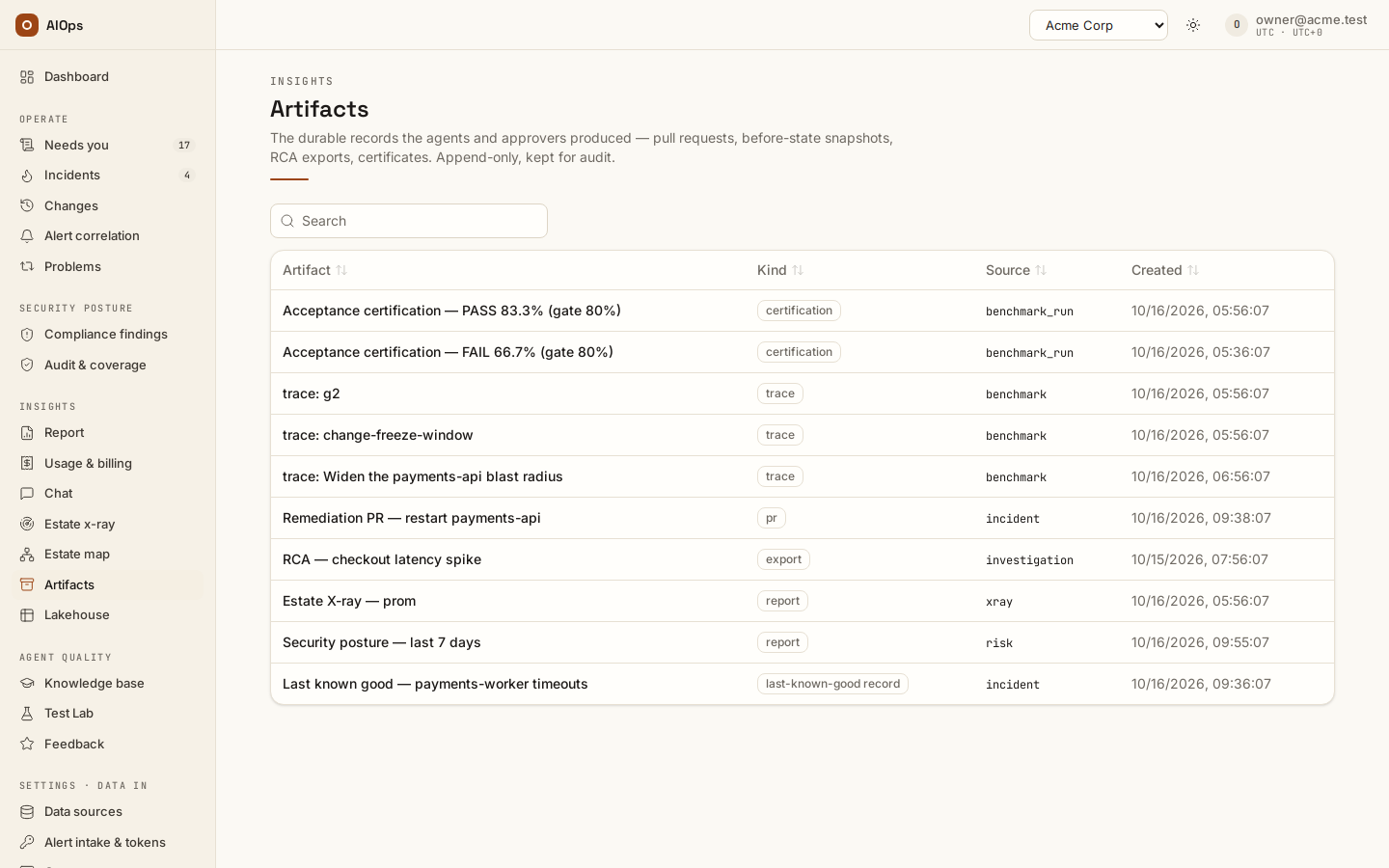
Artifacts (/portal/artifacts) is available with incidents.view.
What lands in Artifacts
Common saved outputs include:
| Kind | Written by | Title it gets |
|---|---|---|
pr |
A remediation route that opened a pull request — see the Incidents chapter | The PR title |
report |
A finished estate x-ray | Estate X-ray — <primary datasource> (<date>) |
report |
Posture trend → Export period | Security posture <from> → <to> plus the selected account/source scope |
report |
Audit & coverage → Decisions → Export for auditor | Risk register — <n> decisions |
report |
Audit & coverage → Frameworks → Export interpretation sheet | Compliance interpretation sheet — <date> |
lkg |
The before-state a change read and stored, with a checksum, just before its write | Pre-change state: <target> |
post_state |
The state a change's target was read in after its write | Post-change state: <target> |
snapshot |
A resource a multi-step change writes, read again after one of its steps (evidence only) | Resource snapshot after step <n>: <target> |
export |
A root cause analysis exported from an incident | The incident title |
certification |
A certified benchmark | The certification report |
trace |
Saved investigation evidence from a test | The source test or investigation |
Use the report-type filters and Find a saved report… search to narrow the loaded cards. Open a card to review its saved evidence; Source details identifies the producer and links to it when available.
Artifacts are written through a single chokepoint that scrubs PII and makes URLs safe at write time — a non-http(s) URL is dropped, never stored. Nothing on this page can edit or delete an artifact, and no API endpoint can either: the store is append-only. The one thing that removes an artifact is the data-retention sweep, which takes it together with the closed record it belongs to once the workspace's retention window passes (never a certification artifact; see Agents and guardrails → Data retention). Deleting the incident's scan or run does not remove what it wrote here.
A saved evidence record with content offers Download. External change-request records link to the saved request. Downloads are also available where the artifact was produced.
Estate x-ray report artifacts additionally require datasources.view and the active xray feature. Revoke the feature and they disappear from the list and 404 by id, while remaining in the database.
The 100-row cap and how to reach older ones
The page lists the newest 100 artifacts and has no pagination. There is no "load more" control and no date filter in the UI. This is a real limitation, not a loading state.
Two workarounds, both supported:
- Go through the producer. Every artifact is reachable at
/portal/artifacts/<id>forever. An incident's own Artifacts card and a scan'ssaved as artifactbadge link straight to it, so the incident or the scan is the durable index. - Filter over the REST API.
GET /api/aiops/{tenant_id}/artifactsacceptskind,source_typeandsource_idquery parameters, each applied in the query before the 100-row cut. Asking for?source_type=xrayor?kind=prnarrows the window enough to reach far older rows. The API basics are in the Integrations: MCP, API, webhooks, CLI chapter.
If you need artifacts as a compliance record rather than a convenience list, export them on a schedule through the API rather than relying on this page.
Next steps
- Estate harvest and x-ray — the report every finished scan saves here.
- Benchmarks and scores — exported run reports and certifications.
- Incidents — an incident's own Artifacts card lists its records, however old.
- Knowledge, x-ray and insights — the hub for every page of this group.