Video transcript: CloudShell setup and connection verification
English narration and captions for reviewed AWS/Azure CloudShell setup, public output and connection tests.
Walkthrough · Updated 2026-10-17 · Describes release 0.1.164
Watch it on Manage connections.
This walkthrough uses the production portal UI with local sample responses and fictional public IDs. It shows command review, public-output validation, separate read/write connections, the Azure staff-approval handoff and independent test results. The AWS part was recorded with staff-prepared roles; an installation in any-account mode needs no staff preparation for AWS except in the platform's own account (Connect AWS). No cloud setup command or repair is executed in the recording. All imported connections retain execution consent off.
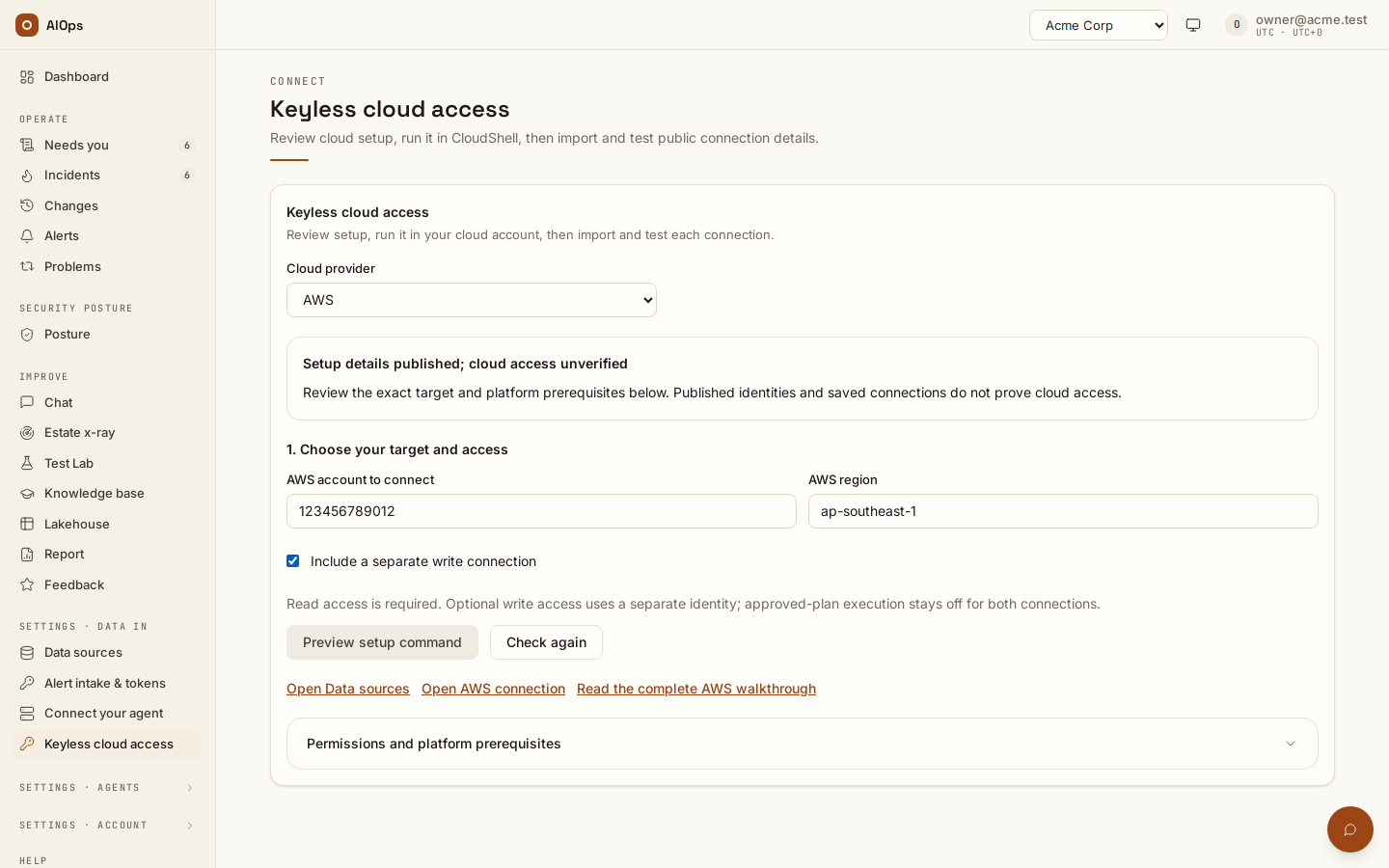
Video: CloudShell setup, public output and connection verification — Watch (2 min) · Captions · Transcript
Recorded 16 Sep 2026 on 0.1.77 — the page has changed since; see Connect AWS and Connect Azure.
Transcript
0:00 — Open Keyless cloud access. Choose your AWS account and region. Platform staff must prepare the runtime reader and exact customer roles before setup.
0:12 — Preview and review the complete command. Run it in AWS CloudShell, review the change set, then type apply. This prepares cloud access without creating workloads or scanners.
0:24 — Copy only the final public JSON into the output field. It must match this workspace and the reviewed target. Never paste keys, secrets or tokens here.
0:35 — Preview the separate read and write connections. Execution consent stays off. Exact existing connections are reused; conflicting identities are never silently overwritten.
0:47 — Import the connections, then test each one separately. Read both results. These checks do not prove every cloud permission or perform a repair.
0:57 — For Azure, review the directory, subscription and resource group. The optional writer uses a separate application scoped to that group. Review the CloudShell command before applying it.
1:09 — Paste Azure's public output and preview the connections. Platform staff must verify and approve these application IDs for this workspace. Copy the application handoff while import is blocked.
1:22 — After staff approval, refresh application approval and import. Saving does not verify access or enable execution consent. Test the identities before relying on their evidence.
Follow the complete AWS or Azure guide. The CloudShell flow does not create workloads or scanners; GCP and infrastructure-as-code export are deferred in this flow. Existing credential-based connectors remain available. Read Read and write roles, and the write gate before enabling any connection for approved plans.