Notifications, paging, on-call and tickets — set it up like the demo
Send incident events to chat, email and pagers, set the on-call schedule, and file and write back tickets.
How-to · Updated 2026-10-26 · Describes release 0.1.164
Goal
Connect a controlled notification destination and, if required, a ticket system. Verify the sending audit and the receiving system independently. A webhook receiver shows that a notification was sent; it is not a PagerDuty or Opsgenie page.
Prerequisites
members.managefor notification/on-call settings;datasources.managefor ticket discovery and routes.- A destination owner, selected events, secret delivery channel, and a safe end-to-end test incident.
- For email, a configured SMTP relay (the platform default or an explicit workspace relay) and the workspace's delivery policy.
- For tickets, a supported Jira, ServiceNow or Azure DevOps connection with the required access.
Procedure
-
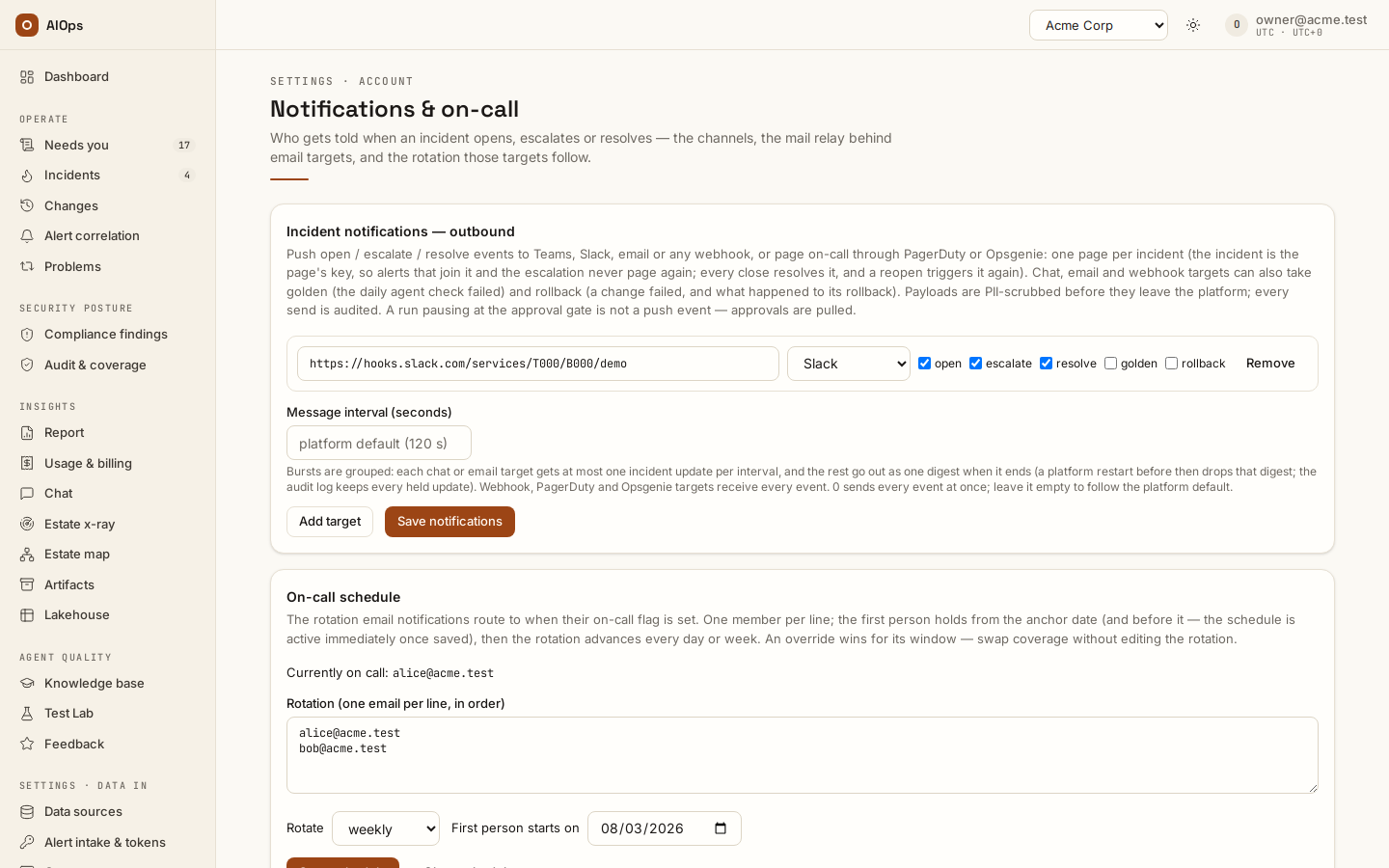
Open Settings · Account → Notifications & on-call → Incident notifications — outbound. Add the intended target kind: Teams, Slack, webhook, email, PagerDuty or Opsgenie. Select only the events you need: open, escalate and resolve, and on a chat, email or webhook target also
golden(the daily agent check failed),rollback(a change failed, and what happened to its rollback) andimage_not_deployed(an image the platform rebuilt under a new tag whose old digest the scanner still reports — sent when the validation finds it and again every 24 hours,aiops_image_reminder_h, until the scanner stops reporting the old digest; moving the workloads alone does not stop it: delete or untag the old digest once nothing runs it) andchange_schedule(a compliance change scheduled to run later, then released or not run at its time, or cancelled). A target that lists its events getsimage_not_deployedandchange_scheduleonly once you tick them. Enter credentials through the private setup flow. You should see a saved target with its intended events; secrets must not reappear in evidence.API:
PATCH /api/aiops/{tid}/guardrailswithnotifications—members.manage. An owner read can include a webhook URL, so use a sanitized receipt for shared evidence.
-
For PagerDuty, use a PagerDuty routing key (Events API v2 integration key); for Opsgenie, use its API key. Choose the appropriate US/EU region. Key stored — leave blank to keep it means the key is write-only. You should see the target/key-presence state, never a key value shown back.
API: a pager is an entry of the same
notificationslist —kindpagerdutyoropsgenie,regionusoreu, a write-onlykeyand itsevents. One incident identity is reused as the pager deduplication identity; escalation/reopen re-trigger it and closure resolves it. Generic webhook delivery has different semantics. -
Set Message interval (seconds) only if digesting chat/email messages is desired. Blank follows the platform default. You should see the effective interval and the recorded delivery behavior, rather than assuming every state transition produces a separate message.
API:
PATCH /api/aiops/{tid}/guardrailswithnotify_min_interval_s—members.manage. -
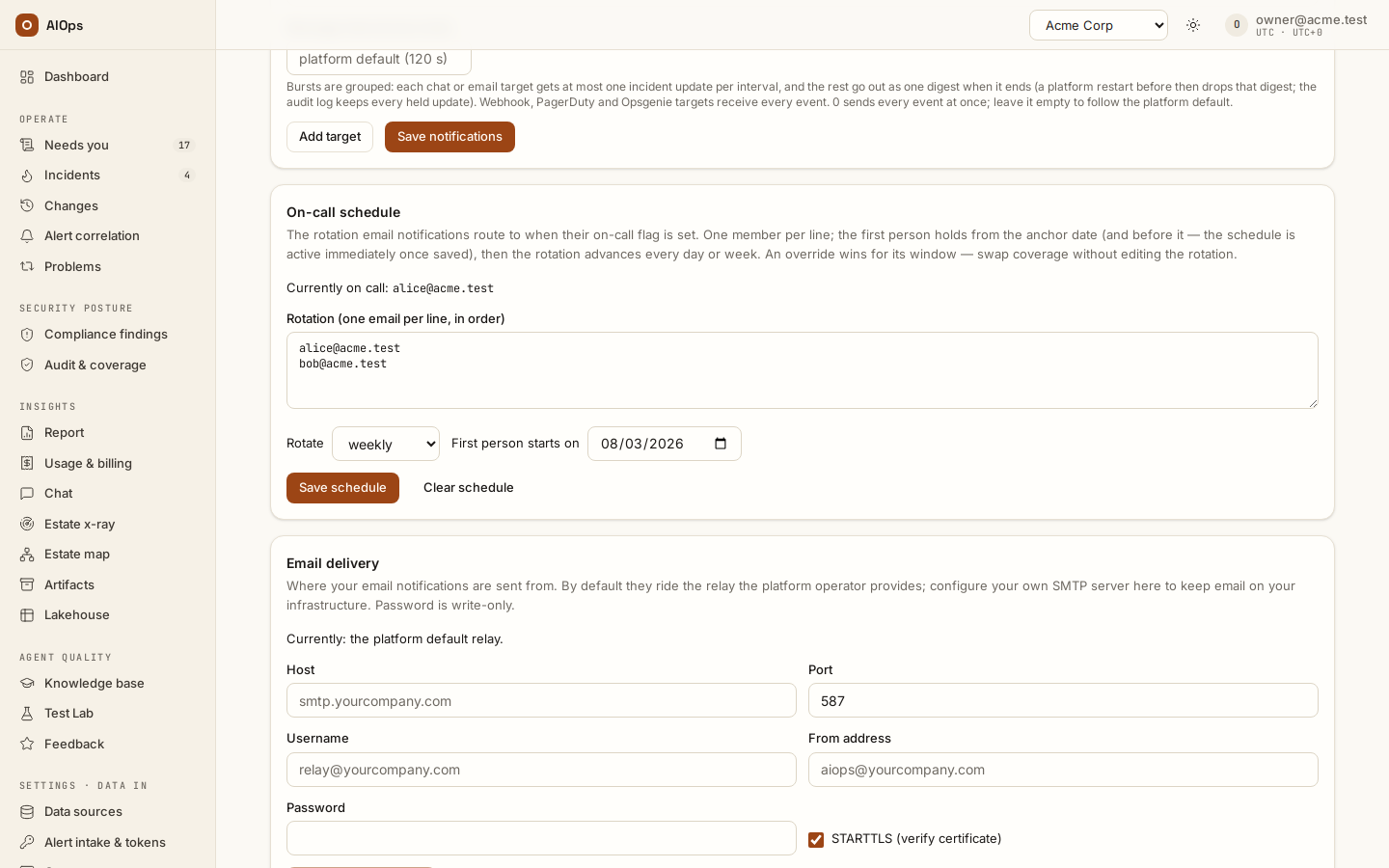
Review Email delivery and On-call schedule. Use one member per line, the intended daily/weekly rotation, anchor date and overrides. Enable on-call routing on the relevant email target. You should see the configured recipient schedule and the actual receiver selected for the test time.
API:
PATCH /api/aiops/{tid}/guardrailswithoncallorsmtp—members.manage. A configured relay is not proof that a message was delivered.
-
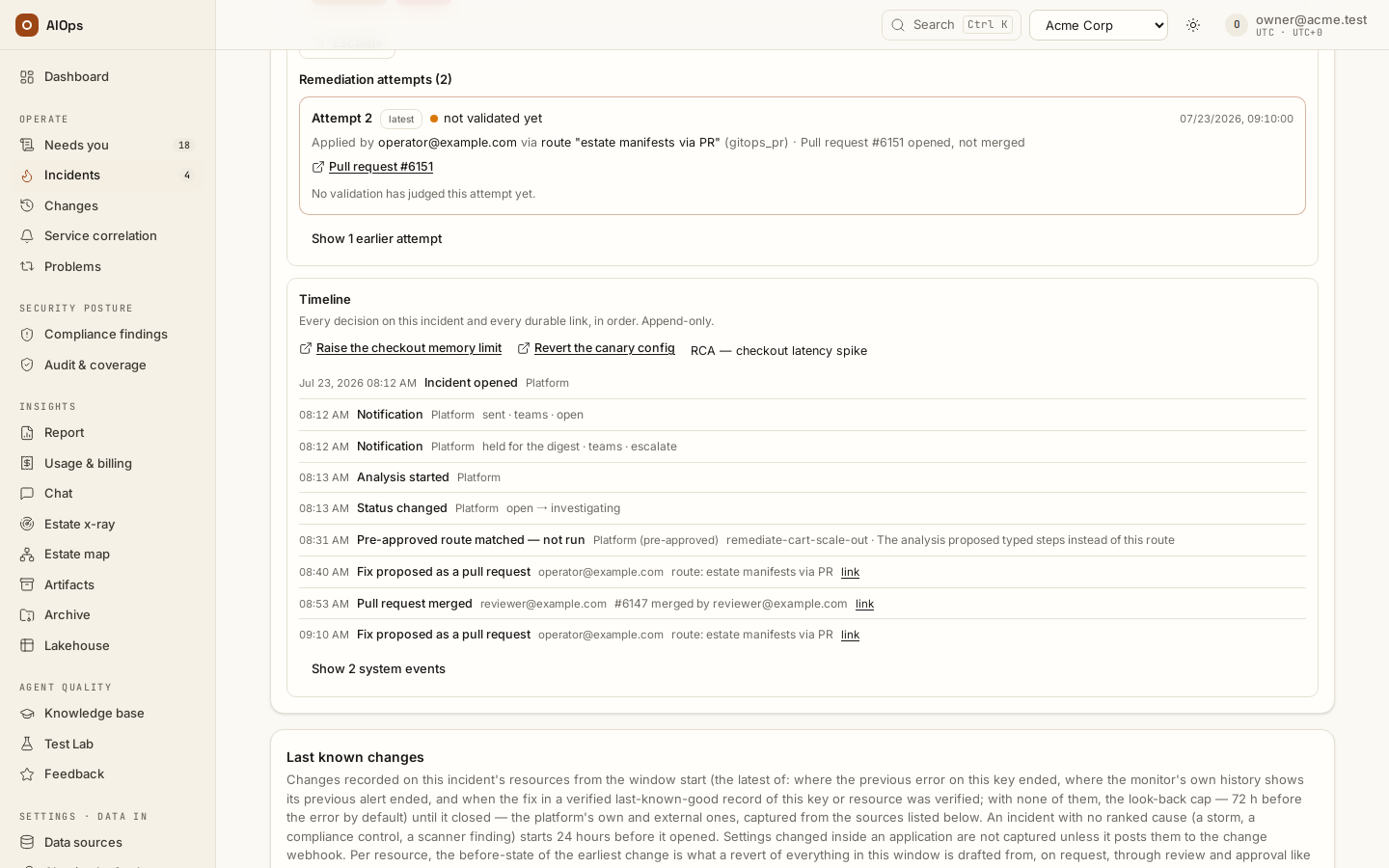
Deliver one approved test signal and inspect both the incident Timeline and Audit log entry
incident.notifiedand the target's receiving record. Resolve the test through its source and verify the relevant recovery event. You should see the actual event, target kind and delivery result paired with a receiver receipt.API: audit reads use
GET /api/aiops/{tid}/audit—report.view. The approval gate is never a notification event; review Needs you or the pending-approval API. A PagerDuty or Opsgenie target takes open, escalate and resolve only: switching a row to a pager clearsgolden,rollback,image_not_deployedandchange_schedule, and the API refuses them on a pager.
-
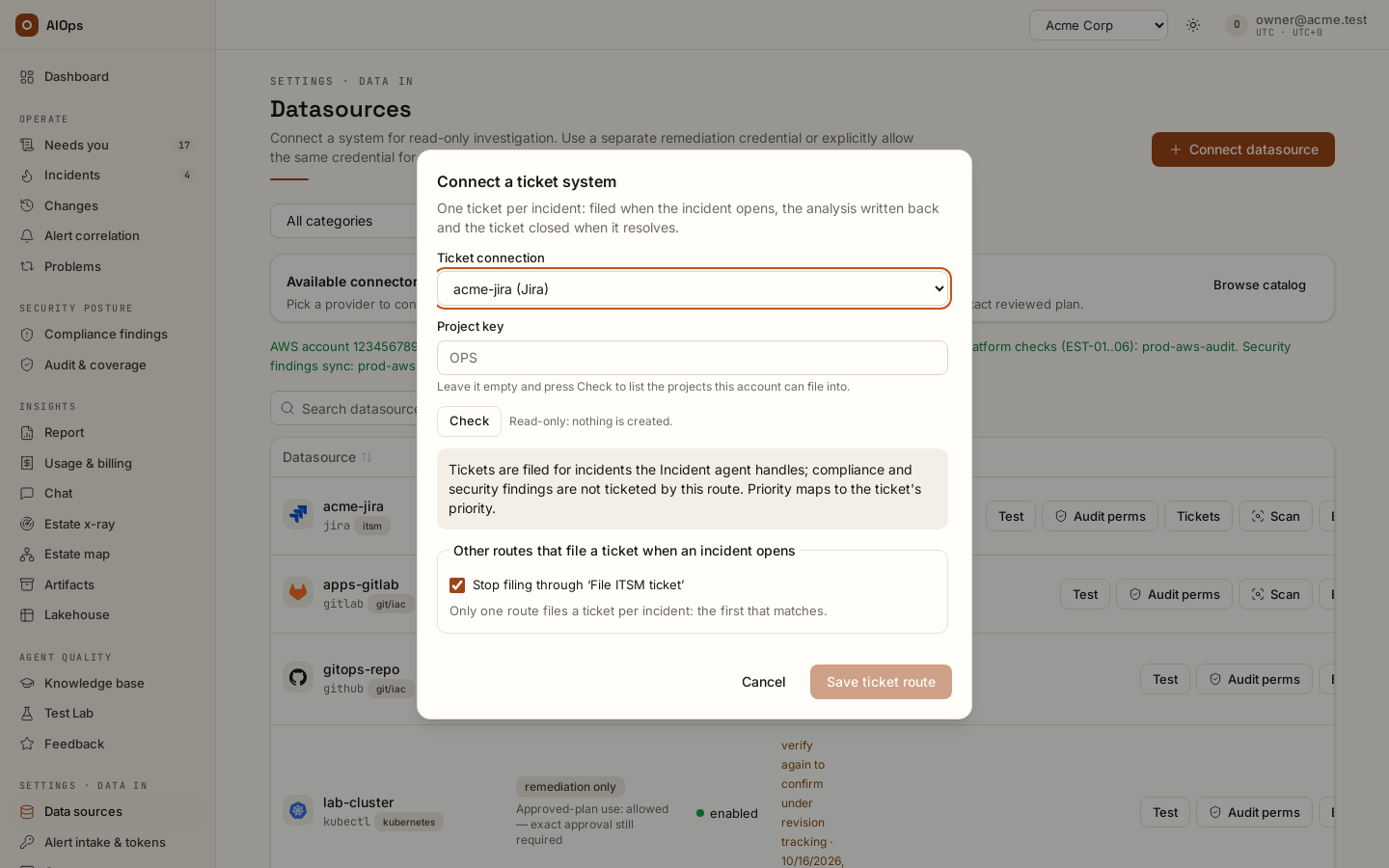
On the ticket-system connection, open Tickets, fill its scope, and Check before saving. The check is read-only. You should see the discovered/project choices and the actual access result.
API:
POST /api/aiops/{tid}/datasources/{id}/ticket-discovery—datasources.manage.
-
Understand the route before Save ticket route. The ordinary dialog saves a catch-all route: no selector, so it files a ticket for every incident of the incident pillar — a preset covers only the pillars its
pillarsparameter names, the incident pillar by default; another save updates it. On a busy workspace, use a deliberately scoped route instead of unintentionally enabling ticket creation for everything. Send the approved test ticket after setup and inspect it in the target. You should see one scoped route and a test result for the destination you intended.API:
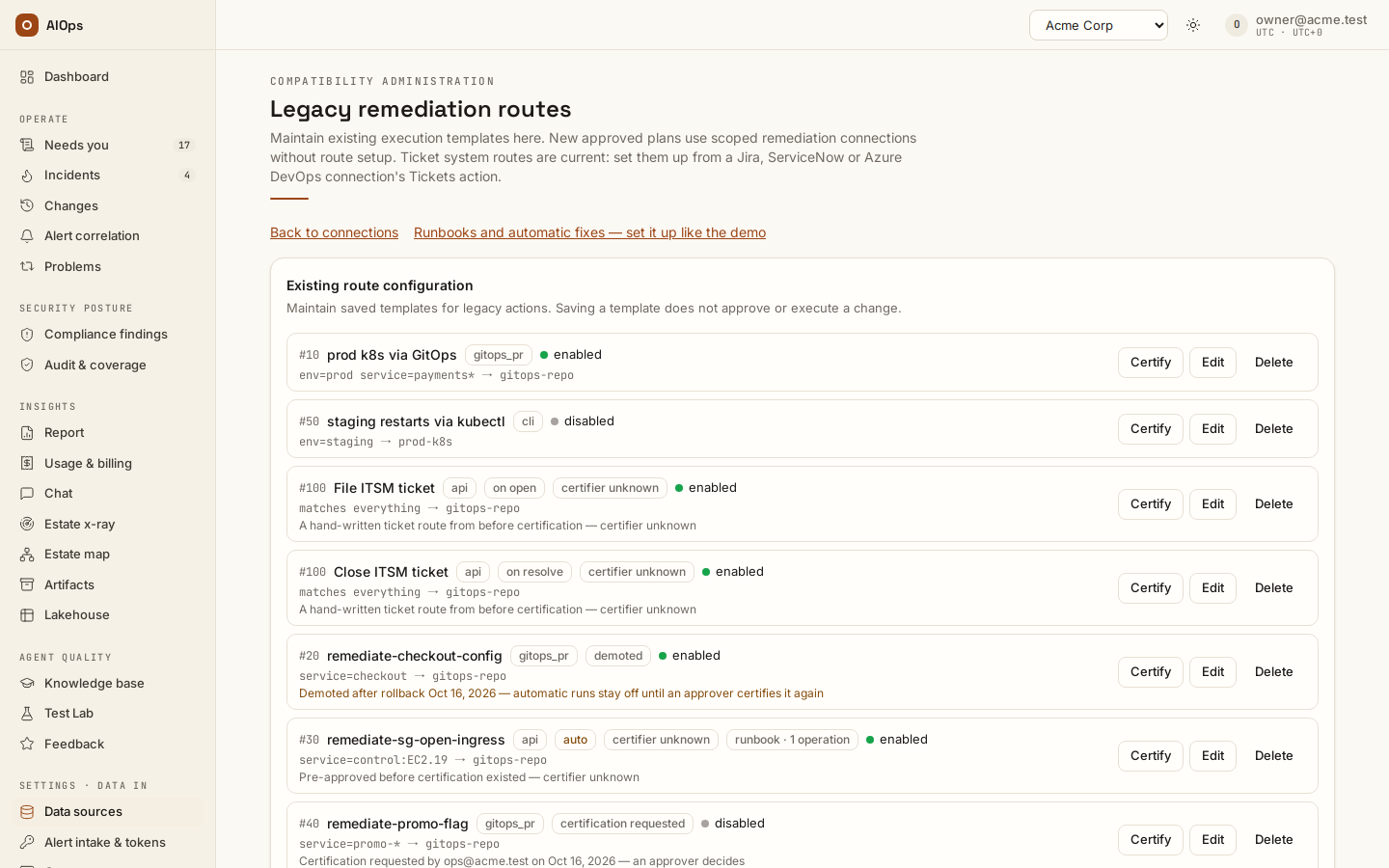
POST /api/aiops/{tid}/routesorPATCH /api/aiops/{tid}/routes/{id}—datasources.manage; test viaPOST /api/aiops/{tid}/routes/{id}/test-ticket. Advanced routes specify aselector.A fixed ticket-system preset needs no route certification. A new or edited hand-written on open or on resolve API route does: an approver reviews and certifies its current revision before it can send requests automatically. Such a route can target only a ticket, paging or webhook system through a read connection, never an estate-remediation writer. An older migrated pre-approval can show certifier unknown: it records a pre-approval from before certification existed, not a named person's certification. Read Needs you → Certify and the route’s actual certification state if it is held; changing its content drops the previous certification. See runbooks and automatic fixes.
-
Follow a real incident's L3 Incident creation & routing ticket link, then its write-back and close receipt. Held/unmapped cases wait until Analyse before filing. Inspect Ticket filing failed, or the recorded write-back failure, and use Retry only against the actual failed operation. You should see one ticket for the incident and its recorded updates, rather than a second ticket for the same incident.
-
If tickets are also inbound signals, map the service identity so the ticket joins the existing incident. An adopted customer-owned ticket keeps its status; Write back is explicit. ServiceNow correlation fields must follow the integration recipe to avoid an echo loop. You should see the adopted reference and source provenance.
API: the source-specific Jira/ServiceNow/Azure DevOps webhook uses workspace webhook authentication. The platform marks the tickets it files — Jira labels
aiopsandaiops-<incident id>, ServiceNowcorrelation_idaiops:<incident id>withcorrelation_displayAIOps— and drops its own tickets when they come back through the webhook, counted asticket_echoin the response, so no vendor-side filter is needed; a ServiceNow inbound business rule must postcorrelation_idandcorrelation_displaywith the record, or the platform cannot tell its own ticket from a customer's while its create is still in flight. The payload fields and the business rule itself are in Ticket systems → Inbound webhooks and echoes.
Verify and cleanup
Retain the source, platform notification/ticket audit and receiver receipts. Remove temporary targets and disable/remove only the temporary scoped route after the agreed test. Confirm the restored target/route state without exposing keys or URLs.
Troubleshooting
| Symptom | Check | Next step |
|---|---|---|
| Pager reports no stored key | Target kind, region and key-presence result | Store the correct integration key through the private setup flow |
| Webhook received a message but no page exists | Actual target kind | It was a notification, not a page; configure a real pager to test paging |
| No ticket yet | The reason L3 gives: held, unmapped or no route | Resolve the named gate; do not assume connection existence enables filing |
| Write-back fails | Recorded external response and adopted-ticket ownership | Review the integration and its access; retry only the recorded operation |
| Approval seems missing from messages | Approval gate is not a push event | Poll Needs you or pending approvals |
Related
Alert sources · Ticket systems · Audit log → Notification setup checks · REST API.